











Choosing the right medical alert system, or personal emergency response system (PERS), can be a lifesaving decision, literally. With so many options on the market, it’s essential to find a solution that offers reliability, ease of use, and peace of mind for seniors and their loved ones.
Whether you're looking for an in-home system for daily safety or a mobile device with GPS tracking for an active lifestyle, understanding the key features is crucial.

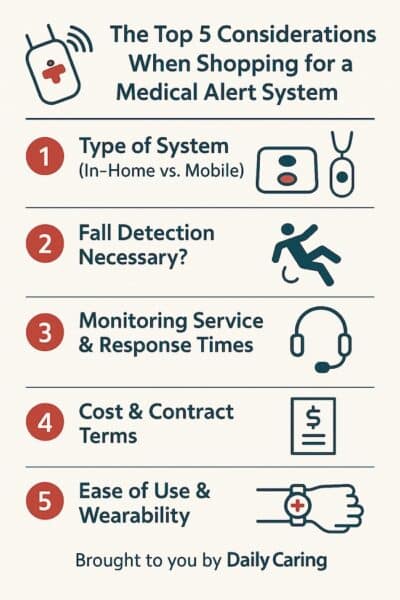
In this guide, we’ll discuss the top five questions you need to ask about medical alert systems, from fall detection and monitoring services to cost and wearability. Asking these questions about medical alert systems can help you make an informed decision that ensures safety without compromising comfort or budget.
Top 5 Questions to Ask About Medical Alert Systems
1. Which Type of Medical Alert System is Right for Me? In-Home vs. Mobile
In-Home Systems:
Standard in-home medical alert systems use a base unit connected to a landline or cellular network, ideal for seniors who spend most of their time at home. Users can typically wander 800-1,400 feet from the base station before they lose the signal.
For many users, this is plenty of range. Some systems have enough coverage area for users to go outside to water the plants.
Mobile/GPS Systems:
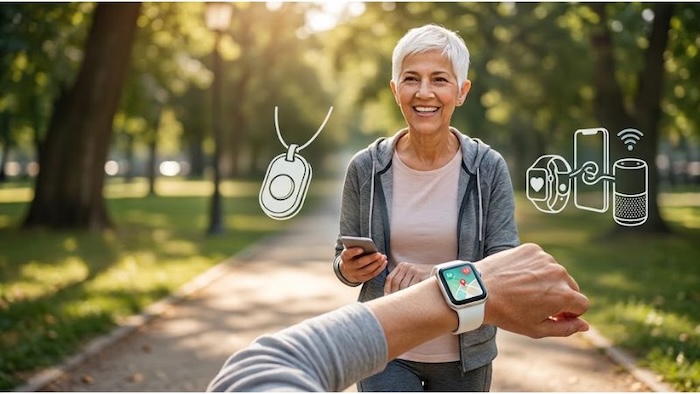
While In-Home systems are perfect for individuals who spend most of their time indoors at home, cellular-based medical alert pendants (or watches) allow users to drive to the pharmacy without losing service or compromising safety.
These are wearable devices with GPS tracking (in case the user tends to wander at night) and are great for active seniors who travel or work outdoors.
Hybrid Options:
Some systems offer both in-home and mobile capabilities. We recently ordered one for a friend in Spokane, Washington. His Bay Alarm pendant allows him to roam all over his new apartment without worry. The pendant connects to a larger base station that is connected to a cellular network. This is great for newer apartments that may no longer have landline phone connections.
The base station even has a battery backup for the device. We unplugged the base station to move it to another room and accidentally pressed the big red “HELP” button in the process. The next thing we know, a fire truck pulled up to his home. 😳
| Feature | In-Home Systems | Mobile / GPS Systems |
|---|---|---|
| Best Suited For | Homebound seniors or those who rarely leave the house without a caregiver. | Active seniors who drive, run errands, or take walks independently. |
| Coverage Area | Inside the home and immediate yard (usually 800–1,400 feet from base). | Anywhere with an active cellular network connection (nationwide). |
| Location Tracking | None required. Emergency operators automatically dispatch to the home address. | Yes. Utilizes advanced GPS tracking to pinpoint the user's exact location. |
| Battery Life | Wearable buttons never need charging (last years). Base plugs into the wall. | Requires frequent charging, typically every 1 to 5 days depending on the model. |
2. Is Fall Detection Technology Included?
What is Automatic Fall Detection?
This system uses built-in motion sensors to detect a potential fall and automatically alerts emergency services when one is detected (even if the user can’t press the button). Modern mobile technologies, such as the Apple iPhone, Apple Watch, and high-end Samsung phones, include this technology (accelerometers and gyroscopes). They serve many purposes.
Standard medical alert buttons (without fall detection) are the norm in most systems, but note that they require the user to press the button in an emergency.
*Also consider that “fall detection” typically incurs an additional fee, but it is crucial for high-risk individuals.
3. Does the Medical Alert System Have Remote Monitoring Services? What Are the Typical Response Times?
What to Look For:
24/7 Professional Monitoring: Ensures help is always available.
Response Times: Look for systems with fast average response times (under 30 seconds is ideal).
Connection Method: Cellular-based systems are more reliable than landline systems because they don't fail during power outages.
4. What is My Total Cost and What Are the Contract Terms?
Here's What You Need to Know:
What Are the Upfront Costs? Some companies charge for equipment, while others offer it free with a subscription.
What Are the Monthly Fees? Typically range from $20 to $50 per month, depending on the features.
Contract Flexibility: Whenever possible, avoid long-term contracts; month-to-month plans are generally preferable.
Additional Fees: Check for activation, cancellation, or fall detection add-on costs.
5. Is the Medical Alert Easy to Use & Comfortable to Wear?
Some Clues:
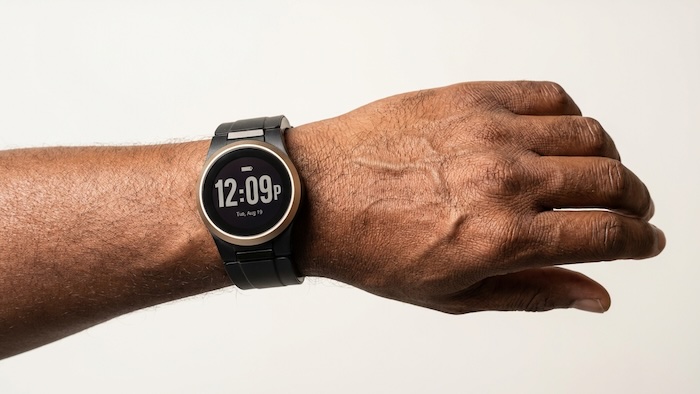
Comfortable Design: Lightweight, waterproof, and easy-to-wear pendants or wristbands. Make sure the pendant or watch form factor isn't too big or too small. (Some watch designs are uncomfortable on the wrist if they're too bulky.)
Battery Life: Mobile devices should last at least 24 to 48 hours on a single charge.
User-Friendly Setup: Simple installation with clear instructions for seniors and caregivers.
Range: For in-home systems, ensure the wearable works throughout the house and yard.
Bonus Considerations:
Family Notifications: Some systems alert family members in addition to emergency services.
Integration with Smart Home Devices: Some medical alert devices may work with Alexa, Google Home, or other smart systems.
Customer Reviews & Reputation: Check ratings on Trustpilot, BBB, and senior-focused review sites.
VIDEO: How to Choose the Right Medical Alert System for Your Loved One
Frequently Asked Questions About Choosing the Right Medical Alert System
What is the most important factor when choosing the right medical alert system?
The most critical first step is determining whether you need an in-home or a mobile system. In-home systems are best for seniors who spend the majority of their time at home, while mobile systems with GPS tracking are ideal for active older adults who drive, run errands, or spend time outdoors.
Does choosing the right medical alert system require a long-term contract?
No, it shouldn't. When evaluating your total cost and contract terms, it is highly recommended to avoid long-term contracts. Look for providers that offer flexible month-to-month plans and clearly outline any upfront equipment costs or additional monthly fees for premium add-ons like fall detection.
Do medical alert systems need a landline to work?
No. While traditional in-home base stations can connect to a standard landline, many modern systems now utilize cellular networks. Cellular-based systems are often more reliable because they continue to function during residential power outages and don't require an active home phone connection.
Final Thoughts About Choosing the Right Medical Alert System
Choosing the right medical alert system becomes infinitely easier if you take some time to understand your or your loved one's needs based on the considerations above. With some planning, you'll be able to find the best system to suit your safety needs, lifestyle, and budget.
What other considerations would you add to the list? Share them in the comments!
About the Author

Chris is a seasoned healthcare executive and entrepreneur from the Pacific Northwest. He strongly advocates for older adults and the caregivers who serve them. Chris has personal experience caring for his father, who had dementia. Chris is a technology enthusiast and an avid outdoorsman; if he's not in his office, he can usually be found on a golf course or fly-fishing out west somewhere.