











You spent months ensuring your loved one’s will is signed, and their executor is chosen correctly. But in 2026, there is a hidden estate that is often completely overlooked: the digital estate plan.
Think about it. Where are the family photos stored? How do you access the utility bills that are only sent via email? What happens to their Facebook memories or their Amazon subscription?
If you don't have a plan, these assets don't just disappear; they become locked doors that can take years of legal friction to open. As CPA Kurt Supe recently noted (see below), digital estate planning is the “missing piece” of modern financial freedom.
What Counts as a “Digital Asset” in 2026?
It’s more than just a Gmail password. A modern digital estate plan includes:
- Financial: Online banking, PayPal/Venmo, and Cryptocurrency wallets.
- Sentimental: Cloud-stored photos (Google/Apple), social media, and personal blogs.
- Practical: Smart home security codes, subscription services, and healthcare portals.
Make Sure You Grant Fiduciaries Explicit Access to Your Digital Life
Kurt Supe, a CPA & retirement planner, recently shared a valuable tweet on X (Twitter). He said that a 71-year-old man can do everything right: They can make a will, set up a Trust, and name beneficiaries, but they can still leave their family in a nightmare scenario if their entire life is locked behind a smartphone passcode.
Without a “digital estate plan,” photos, financial records, and even memories can vanish or cost thousands in legal fees to recover.
To prevent this, you need to understand the Revised Uniform Fiduciary Access to Digital Assets Act (RUFADAA). This law allows your chosen fiduciaries to manage your digital life, but only if you explicitly grant them permission in your estate documents.
Big Tech Tools to Help You Manage Your Digital Legacy
Native Legacy Tools
Set these up in 5 minutes each to bypass digital red tape
| Platform | The Solution | Setup Link |
|---|---|---|
| Inactive Account Manager Automatically notifies a trusted contact and allows them to download data after a period of inactivity. | Google Manager | |
| Apple | Legacy Contact Generates an access key that a contact uses (with a death certificate) to unlock iCloud photos and files. | Apple Legacy |
| Legacy Contact Designates a person to manage a memorialized profile or request permanent account deletion. | FB Contact |
VIDEO: Protect Your Digital Estate With Our Caregiver's Planning Guide
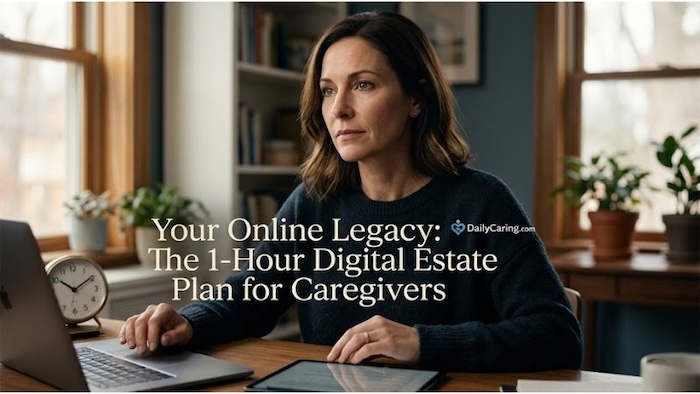
The 1-Hour Caregiver Action Plan to Secure One's Digital Legacy
You don't need to be a tech expert to secure a digital legacy. Follow these three steps to build a 2026-ready digital safety net:
Step 1: Appoint a “Digital Executor” (15 mins)
This doesn't have to be your primary estate executor, but they should be comfortable with technology. Their job is to follow your instructions for closing social media accounts, retrieving digital photos, and settling online-only bills.
Step 2: Update Your Power of Attorney (20 mins)
Don't assume a standard POA covers your smartphone. Ensure your 5 important legal documents for caregivers specifically include “digital asset” language. This grants your agent the explicit right to access and manage your electronic files and communications under RUFADAA laws.
Step 3: The Password Hand-Off (25 mins)
Never write passwords in a Will, as it becomes a public document. Instead:
- Use a secure Password Manager with an “Emergency Access” feature.
- Alternatively, keep a physical “Digital Vault” in a fireproof safe. This should include a master password list alongside your Living Will to ensure medical and digital wishes are kept together.
Conclusion: Secure Your Digital Legacy Today
We spend our lives building a digital footprint; we shouldn't leave our families to navigate it in the dark. By spending just one hour today setting up legacy contacts and updating your paperwork, you’re removing a massive future burden from your loved ones.
As the Sandwich Generation knows all too well, the best gift you can give is clarity.
Avoid probate and family friction by mastering the foundational pillars of end-of-life asset management.
Balancing kids and aging parents is a marathon. Learn the 3 automated systems every “sandwiched” caregiver needs.
If caregiving is your full-time job, you shouldn't do it for free. Explore the 2026 pathways to receiving a wage.
New 2026 tax credits and state programs can put thousands back in your pocket. See if you qualify.
This information is for educational and informational purposes only and does not constitute professional legal or financial advice. Digital estate laws (like RUFADAA) vary significantly by state. We strongly recommend consulting with a qualified estate planning attorney or digital legacy expert to ensure your plan meets current legal standards in your jurisdiction.
About the Author

Chris is a seasoned healthcare executive and entrepreneur from the Pacific Northwest. He strongly advocates for older adults and the caregivers who serve them. Chris has personal experience caring for his father, who had dementia. Chris is a technology enthusiast and an avid outdoorsman; if he's not in his office, he can usually be found on a golf course or fly-fishing out west somewhere.