













As a caregiver, you know that technology is a double-edged sword. It offers the promise of staying connected with grandchildren, but it often brings the frustration of complex updates, confusing interfaces, and security risks. In 2026, the stakes are higher as AI-driven phone scams target the elderly with increasing frequency.

At DailyCaring, we believe tech should be a bridge, not a barrier. We have spent the last year evaluating the most popular devices to find the ones that truly combat social isolation while keeping your loved ones safe.
Why You Can Trust This 2026 Tablet Guide
Our team doesn't just look at RAM and processor speeds. We evaluate tablets based on caregiver remote management capabilities, scam protection, and cognitive accessibility. Every device on this list was chosen because it addresses a specific need in the aging journey.
Best Tablets for Seniors in 2026
Quickly compare the top contenders for 2026. For a deep dive, see our individual reviews below.
| Tablet Device | Best For… | Price Range | Action |
|---|---|---|---|
| iPad (Assistive) | Reliability & Security | $329+ (One-time) | Read Review |
| GrandPad | Non-Tech Users | Subscription Based | Read Review |
| Claris Companion | Health Monitoring | Subscription Based | Read Review |
| Amazon Fire HD 10 | Affordability | ~$130 (One-time) | Read Review |
Best Tablets for Seniors Roundup
1. The Managed Experience: GrandPad
The GrandPad remains our top choice for seniors with zero prior computer experience. It is essentially a “walled garden.” There is no open internet browser where they can get lost; instead, they have a private family network where only approved contacts can send photos or initiate video calls.
- Best For: Seniors with tech-aversion or those living without home Wi-Fi.
- The 2026 Edge: Its built-in 5G/LTE connectivity keeps them connected even when their facility’s Wi-Fi is spotty.
2. The Health-First Choice: Claris Companion
The Claris Companion is more than a tablet; it’s a remote caregiving station. It is designed specifically to allow you to “manage” the senior's day from your own smartphone.
- Best For: Families managing chronic conditions or medication schedules.
- The 2026 Edge: Enhanced compatibility with Bluetooth medical peripherals like blood pressure cuffs and weight scales.
3. The Tech-Forward Professional: iPad with Assistive Access
Apple has made massive strides with its Assistive Access mode. It transforms the standard iPad into a high-contrast, big-button interface. This is the best choice if your loved one is already familiar with the Apple ecosystem but needs a simplified view.
- Best For: Seniors who want high-end hardware and access to the Apple Health app.
- The 2026 Edge: New security features that automatically block calls from numbers not in the “Trusted Contacts” list.
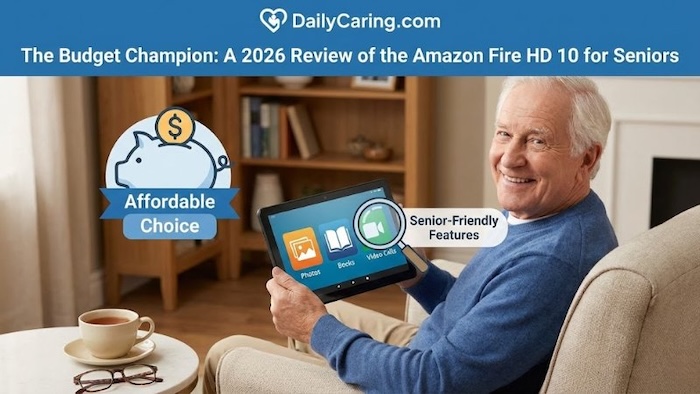
4. The Budget Champion: Amazon Fire HD 10
For a low one-time cost, the Amazon Fire HD 10 provides excellent video calling through Alexa. While the interface is slightly more cluttered than a GrandPad, “Show Mode” makes it act like a smart display, which is very intuitive for many seniors.
- Best For: Budget-conscious caregivers and seniors who enjoy listening to Audible audiobooks.
- The 2026 Edge: Built-in Alexa voice commands. For seniors with arthritis or limited motor control, saying “Alexa, call my daughter” is a lifesaver compared to navigating manual menus.
Must-Have Accessories for Senior Tablets
A tablet is a powerful tool, but the right accessories can make the difference between a device that sits in a drawer and one that becomes a daily companion. Here are the top additions to consider for your loved one’s 2026 tech setup:
- Heavy-Duty, High-Contrast Cases: Look for “rugged” cases with built-in kickstands. A textured, easy-grip surface prevents slips, while a bright color (like orange or royal blue) makes the tablet easier to find in a room.
- Weighted Tablet Stands: For seniors with tremors or limited hand strength, holding a tablet for a long FaceTime call can be exhausting. A weighted desktop stand keeps the screen at eye level and hands-free.
- Extra-Long Charging Cables (10ft+): Standard cables are often too short, forcing seniors to bend down to floor outlets—a significant fall risk. A long, braided cable allows them to charge the device comfortably from their favorite chair.
- Magnetic Charging Adapters: Fumbling with small USB-C or Lightning ports can be frustrating for those with arthritis or low vision. Magnetic tips stay in the tablet, allowing the charging cord to “snap” into place effortlessly.
- Screen Protectors with Blue Light Filters: As eye health is a priority, a matte screen protector reduces glare from overhead lights and filters out blue light, which can interfere with sleep patterns.
- Active Stylus Pens: If an aging adult finds “swiping” difficult or has very dry skin (which touchscreens sometimes fail to register), a high-quality stylus provides much better precision and tactile feedback.
Choosing the Right Tablet: A Caregiver's Checklist
Caregiver’s Tech Checklist: 5 Steps to the Right Tablet
- ☐ Connectivity: Does the senior have reliable Wi-Fi at home? If not, prioritize the GrandPad or Claris Companion for their built-in cellular options.
- ☐ Cognitive Load: Does the senior struggle with new interfaces? A “closed” system like the GrandPad prevents them from accidentally changing settings or getting “stuck” in an app.
- ☐ Security Needs: Is the senior at risk for phone scams? Look for devices that allow a “Trusted Contacts Only” whitelist, a key feature in the iPad's Assistive Access.
- ☐ Physical Ability: Consider the senior's dexterity. If they have severe arthritis, a hands-free device like the Amazon Fire HD 10 with Alexa voice commands may be easier than a touchscreen.
- ☐ Caregiver Role: Do you need to monitor their health or location remotely? The Claris Companion offers the most robust remote management tools for active caregivers.
Final Thoughts: Making Technology Work for Your Family
At the end of the day, the “best” tablet for seniors isn't about having the fastest processor or the highest resolution; it’s about which device will actually be used to bridge the gap between you and your loved one.
Whether you choose the managed simplicity of the GrandPad or the high-tech versatility of an iPad, the goal remains the same: reducing social isolation and providing peace of mind.
By 2026, technology will have finally reached a point where it can serve as a supportive tool rather than a source of stress. Start by assessing your loved one’s current comfort level, and don't be afraid to consider a new tablet to see how it might fit into your daily caregiving routine.
Frequently Asked Questions
Senior Tablet FAQs
Q: Which tablet is best for someone with early-to-mid stage dementia?
For those with memory loss, we recommend the Claris Companion or GrandPad. These devices allow caregivers to manage everything remotely, so the senior never has to worry about settings or technical glitches.
Q: Can I block scammers and telemarketers on these tablets?
Yes. In 2026, safety is paramount. The iPad's Assistive Access and the GrandPad both offer “White List” features, which only allow calls and messages from trusted contacts you've pre-approved.
Q: Do I need home Wi-Fi for these tablets to work?
The Amazon Fire HD 10 and iPad typically require Wi-Fi, but the GrandPad and Claris Companion offer models with built-in cellular data, making them ideal for seniors who don't have internet at home.
Making the right technology choice is just one part of your caregiving journey. To help you further simplify daily life and stay informed on the best resources for your loved one, we’ve curated a few of our most popular guides below.
You Might Also Like:
Affordable Internet for Seniors: A comprehensive guide on finding low-cost connectivity solutions to ensure your new tablet stays online without breaking the bank.
Best Gift Ideas for Seniors: Beyond tablets, discover other tech-focused and practical gifts designed to enhance safety and daily living for older adults.
DailyCaring Newsletter: Stay updated on the latest assistive technology and caregiving tips by browsing our recent archives and joining our community of almost 50,000 caregivers looking for advocacy and community!
About the Author

Chris is a seasoned healthcare executive and entrepreneur from the Pacific Northwest. He strongly advocates for older adults and the caregivers who serve them. Chris has personal experience caring for his father, who had dementia. Chris is a technology enthusiast and an avid outdoorsman; if he's not in his office, he can usually be found on a golf course or fly-fishing out west somewhere.
Hello I find that the Amazon Fire Tablet is pretty good. My husband has Parkinsons Disease but he uses the Fire Tablet a lot for watching movies and reading. Eventually we may look into a different kind of tablet as his Parkinson’s progresses.