












Protect Them 24/7 – Even While Charging
Give your loved one the dignity of a smartwatch with the safety of a 24/7 medical alert. Save $50 on your purchase when you use our exclusive reader code.
As caregivers, we often face the “pendant problem.” We know our loved ones need a safety net, but many older adults refuse to wear traditional medical alert buttons. They feel these devices are stigmatizing, clunky, or “for old people.”
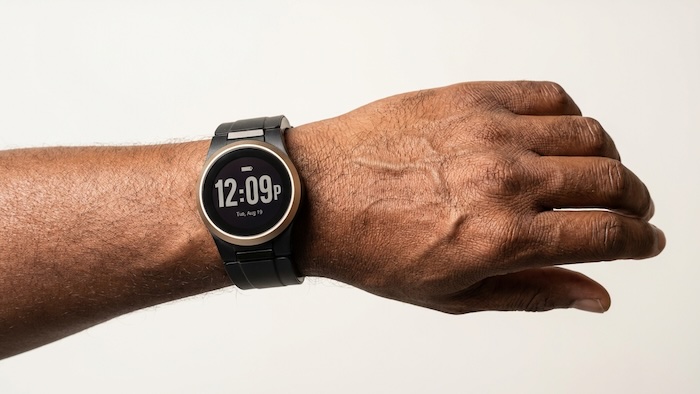
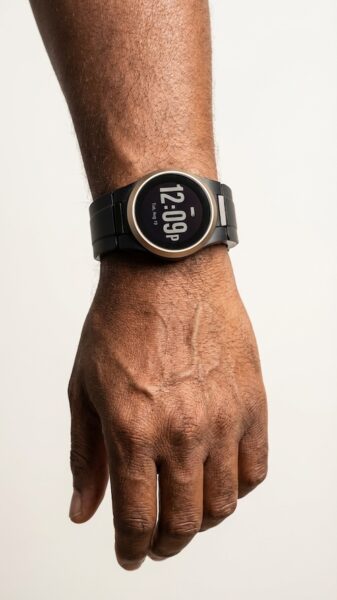
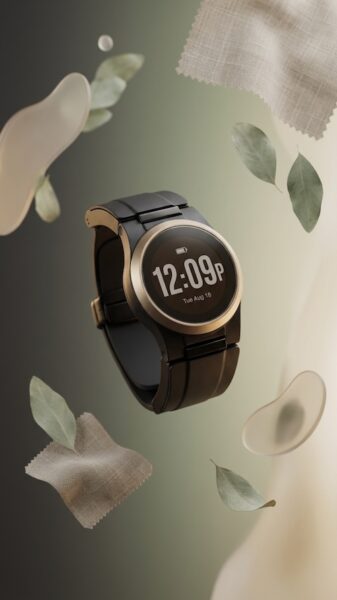
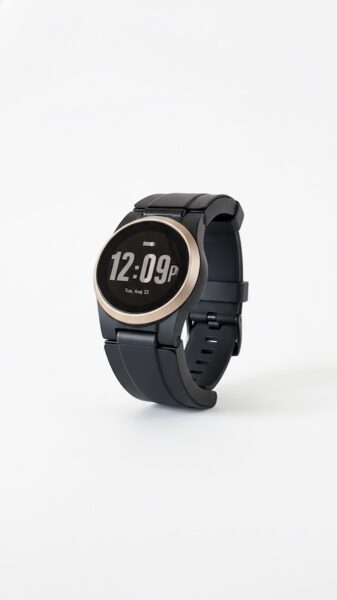
The Kanega Medical Alert Watch by UnaliWear aims to solve this dilemma. It combines life-saving technology, like automatic fall detection and 24/7 monitoring, with the discreet, modern look of a smartwatch.
*Daily Caring may receive commissions for purchases made through links in this article.
But is it the right choice for your loved one? In this medical alert review, we’ll look at the features, costs, and unique battery system that sets this device apart.
Kanega Medical Alert Watch Overview
The Kanega Medical Alert Watch is a standalone wearable designed specifically for seniors. Unlike many smartwatches, it does not require a smartphone or a base station. It connects directly to emergency operators via the Verizon cellular network or home Wi-Fi.
The company’s name reflects its mission: “Unali” is the Cherokee word for friend, and “Kanega” means speak. Together, it represents a “friend that speaks to you” during an emergency.
Key Kanega Medical Alert Watch Features
Hands-Free Voice Activation
One of the biggest hurdles during a fall is being unable to reach a button. The Kanega Watch is voice-activated. Saying the wake-up phrase “Fred Astaire” puts the watch into listening mode.
From there, the wearer can simply say “Get help” to connect with a live U.S.-based operator.
AI-Driven “RealFall™” Technology
Most fall detection systems use a “one size fits all” algorithm, leading to frustrating false alarms. The Kanega Medical Alert Watch uses patented AI that learns the wearer's specific movement patterns.
If your loved one “plops” into their favorite recliner, the watch learns over time that this isn't a fall, reducing those middle-of-the-night accidental alerts.
The 24/7 “Never-Off” Battery System
This is where the Kanega Watch truly shines. Most medical alerts, including the Apple Watch, must be taken off and placed on a charger for several hours, leaving an aging adult unprotected.
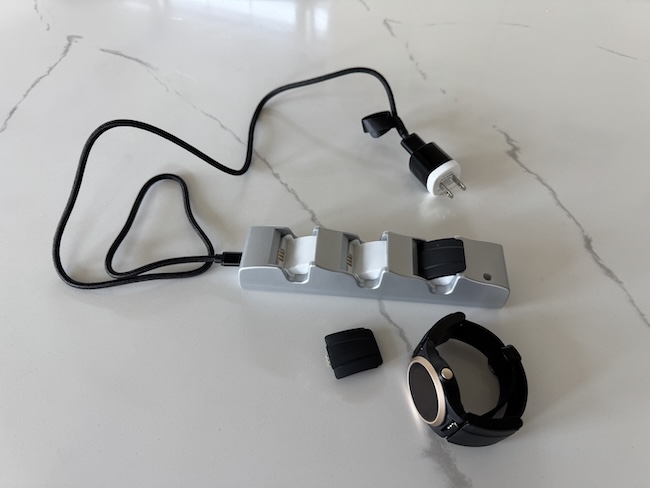
The Kanega uses a quick-swap battery system. Two small batteries clip directly into the watchband. When they run low, you simply swap them for a fresh pair from the charging pod.
The watch stays on the wrist 24/7, providing continuous protection even while the spare batteries are charging.
High-Contrast Display
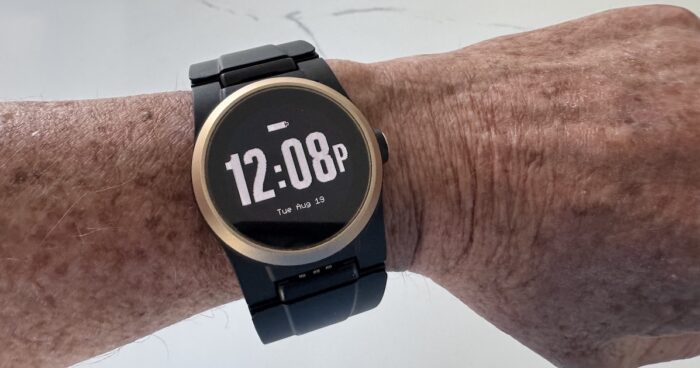
The OLED screen features bold white-on-black text, which is particularly helpful for seniors with low vision or conditions like glaucoma.
While it is not a touchscreen (which prevents accidental swipes), the side “crown” button is easy to navigate (similar to an Apple Watch).
Kanega Medical Alert Watch Pros and Cons
Before making an investment, it’s important to weigh the device's benefits against its limitations.
Kanega Medical Alert Watch Pricing (2026)
The Kanega Watch is a premium device, and its pricing reflects its advanced AI and 24/7 support. Below is a breakdown of the current costs.
2026 Price Comparison: Kanega vs Top-Tier Medical Alert Watches
| Watch | Upfront | Monthly | Fall Detection | The Bottom Line |
|---|---|---|---|---|
| Kanega | $299 | $84.95 ($64.95 annual) |
Included | 24/7 wear; no charging downtime. |
| MGMove | $199.95 | $42.95 ($38.95 annual) |
+$10/mo | Social apps & messaging. |
| Bay Alarm | $159.20 | $39.95 ($39.95 annual) |
+$10/mo | Simple, easy interface. |
| LifeFone | $0 (Lease) |
$47.95 ($43.95 annual) |
+$5/mo | Budget fall detection option. |
At first glance, the Kanega Medical Alert Watch appears significantly more expensive than its competitors. However, caregivers should consider the ‘Total Cost of Ownership' when evaluating medical alert systems for seniors.
Most medical alert companies charge an extra $60–$120 per year just for fall detection – a feature Kanega includes.
More importantly, Kanega is the only device that eliminates the ‘charging gap.' While other watches are sitting on a charger for two or more hours a day, the Kanega stays on your loved one’s wrist, providing protection during the high-risk middle-of-the-night trips to the bathroom.
Who is the Kanega Medical Alert Watch Right For?
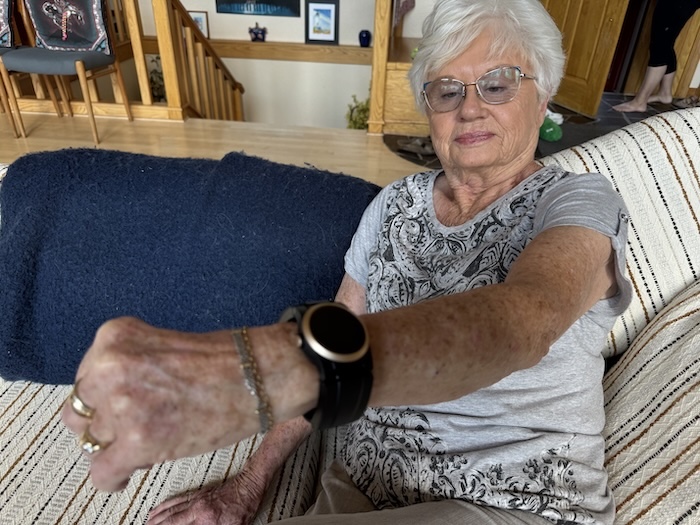
This device is an excellent fit for independent, active seniors who are resistant to traditional pendants but want the security of fall detection. It’s also ideal for those who may forget to put their device back on after charging, as the “quick-swap” system ensures it never leaves their wrist.
However, if your loved one has advanced dementia or significant dexterity issues, they might find the battery-swapping process difficult. In those cases, a traditional in-home medical alert system might be simpler.
Final Verdict
The Kanega Medical Alert Watch is one of the most technologically advanced options on the market. By prioritizing dignity and “all-day” wearability, it removes the biggest barrier to senior safety: the refusal to wear the device.
While the cost is higher than a basic pendant, the peace of mind that comes from 24/7 protection, even in the shower and at night, is often worth the investment.
About the Author

Chris is a seasoned healthcare executive and entrepreneur from the Pacific Northwest. He strongly advocates for older adults and the caregivers who serve them. Chris has personal experience caring for his father, who had dementia. Chris is a technology enthusiast and an avid outdoorsman; if he's not in his office, he can usually be found on a golf course or fly-fishing out west somewhere.